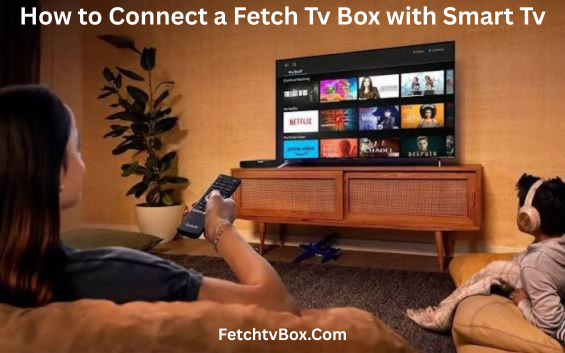
How to Connect a Fetch Tv Box with Smart Tv
Fetch Tv Box are one of the most popular products that play a big role in Australia to entertain people through its features and services. If you are already using Fetch tv Box then you have experienced high-definition movies, Best OTT (Over-The-Top), Streaming applications, Premium channels. games and special interest as per users’ choice. You can get a TV box through an internet service provider and local store.
Fetch Tv Box Features and benefits
- Free-To-Air TV: When you subscribe to Fetch tv box you get a feature i.e. like free to air where you can access channels with or without antenna. In this you will get more than 30 plus channels to watch through the internet. You can also record your shows with the pause and rewind option.
- Streaming Apps: If you are fond of watching series on OTT platforms then you can download popular streaming apps in the fetch tv box such as Netflix, Prime video, Stan, HBO Max, Disney, Apple tv and many others.
- Movie Box: After a whole day of work, you want to relax by watching your favourite movies. Fetching a tv movie box is the best option. It includes more than 40 plus movies without ads.
- Games: If you still love to play games or have kids at home then Fetch tv offers online family games. You can browse popular games like Pac-man, Chess, Solitaire classic, hill climber etc.
- Mobile and Tablet: You can also enjoy your favourite shows on the fetch app available in phone and tablet. You can watch movies and shows on your phone. You can download shows on the phone or table if you are out of internet connection.
How to Get Fetch TV box
You can get a TV box through your internet service provider such as Telstra, Optus, Aussie broadband or from retail stores or online stores like JB HIFI, Harvey Norman, kogan.com etc. You can get a Fetch tv box directly through the fetch tv website.
How to connect Fetch Tv box with Smart TV
If you are a new subscriber to Fetch tv box and want to connect the box with the smart tv. You can connect the Fetch tv box in minutes through the following steps mentioned below.
1.Unbox: Unbox your fetch tv box to connect with smart tv.
2. HDMI: Box will come with HDMI cable connect box and Smart tv through HDMI cable.
3. Antenna: Connect your Fetch box with Antenna cable plugged in socket.
4. Internet Connection: As fetch tv is a smart box you must connect WIFI connection with the box or ethernet cable to browse online games, movies, apps etc.
5. Power Supply: Fetch tv boxes need power supply. For this plug power cable with the power wall socket on the wall.
How to Activate Fetch Tv box
To activate the Fetch tv box follow the instructions showing in your television. After following the instructions, it will ask the activation code. Enter the code received by email or SMS on the phone. If code does not work, then check with your ISP provider and with the retail store.
Conclusion: After research we found Fetch TV box is full of features with best offers and complete entertainment with suitable price.